

Appearance
RSVP Widget
The RSVP System allows visitors to register for events, workshops, classes, or any post type on your site. It includes an RSVP form widget for submissions and an attendee list widget for displaying who’s coming.
Overview
Add event registration capabilities to any Voxel post type. Visitors can RSVP for events, you can set attendee limits, and optionally require approval before confirming attendance. Guest RSVPs are supported for non-logged-in users.
Key Features
- RSVP Form widget for event registration
- Attendee List widget to show who’s coming
- Guest RSVP support (no login required)
- Configurable fields (name, email, comment, custom fields)
- Approval workflow (pending/approved/rejected)
- Maximum attendee limits
- CSV export for attendee data
- App Event notifications
- Per-post-type custom fields
Setup Instructions
Step 1: Enable the Function
- Navigate to Voxel Toolkit → Widgets in your WordPress admin
- Find RSVP Form in the list
- Toggle the switch to enable the widget
Step 2: Add Widgets to Your Template
- Open your event/post single template in Elementor
- Add the RSVP Form (VT) widget where you want the registration form
- Add the Attendee List (VT) widget where you want to show attendees
- Configure widget settings and styling
- Save the template
RSVP Form Widget
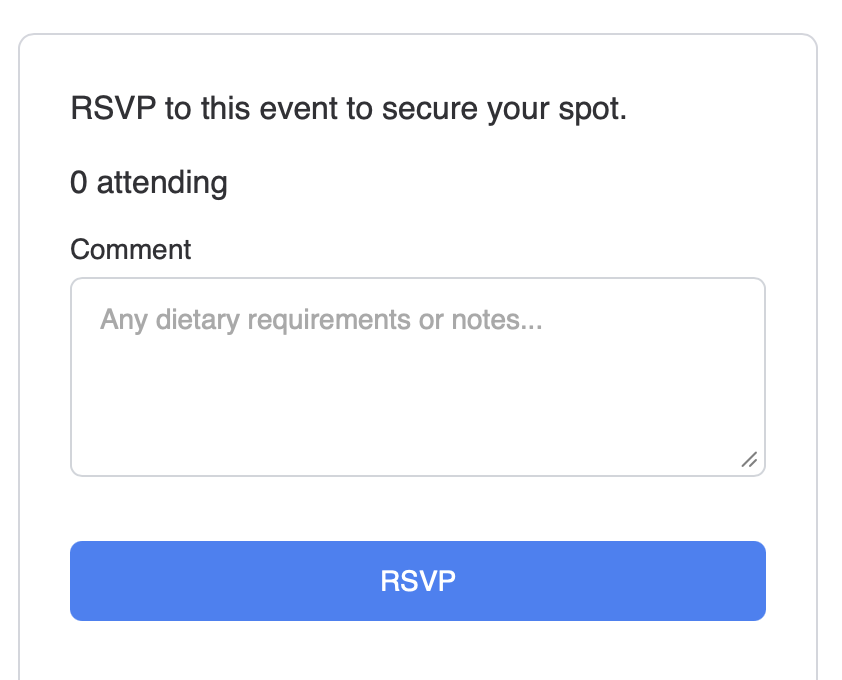
The form widget allows visitors to register for events.
Widget Settings
| Setting | Description |
|---|---|
| Allow Guests | Allow non-logged-in users to RSVP |
| Require Approval | RSVPs need admin approval before confirmation |
| Max Attendees | Limit how many people can register (0 = unlimited) |
| Auto-Close | Automatically close RSVPs when limit reached |
| Show Count | Display how many spots are left |
Built-in Fields
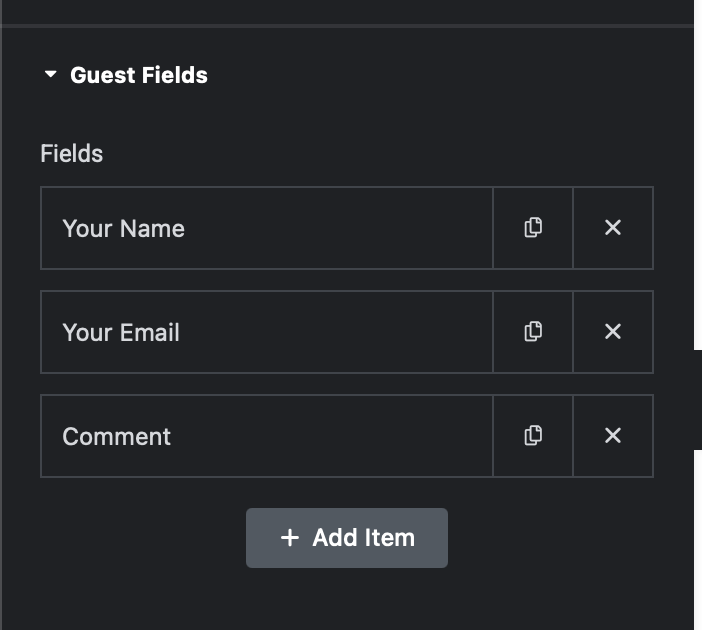
- Name – Attendee’s name (required for guests)
- Email – Contact email (required for guests)
- Comment – Optional message or note
RSVP States
Users can see their current RSVP status and cancel if needed:
- Not RSVP’d – Shows the registration form
- Pending – Waiting for approval
- Confirmed – RSVP approved
- Rejected – RSVP declined
Attendee List Widget
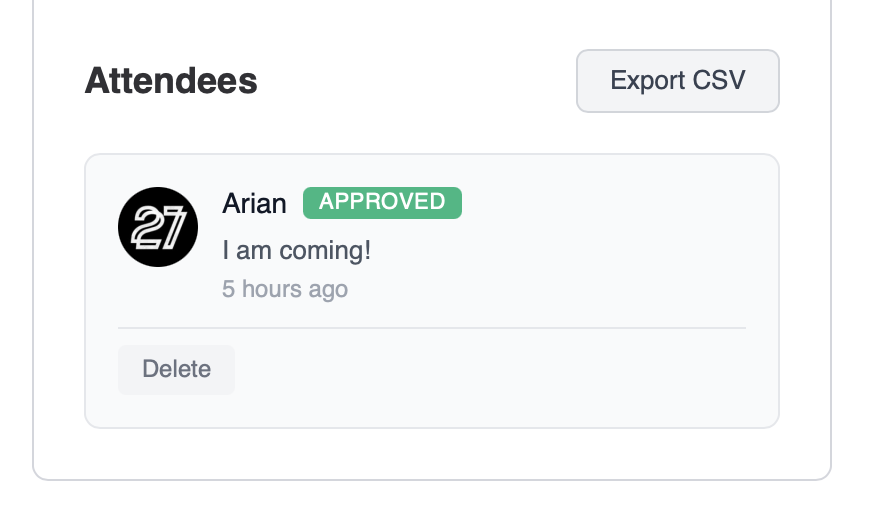
Display who’s attending the event with optional admin controls.
Widget Settings
| Setting | Description |
|---|---|
| Show Avatars | Display attendee profile pictures |
| Show Names | Display attendee names |
| Show Count | Show total number of attendees |
| Admin Actions | Show approve/reject buttons for admins |
| Layout | Grid or list view |
Admin Actions
When admin actions are enabled, post authors and administrators can:
- Approve pending RSVPs
- Reject RSVPs
- Remove attendees
- Export attendee list to CSV
Custom Fields
Add custom fields to collect additional information from attendees. Fields are configured per post type, so events can have different fields than workshops.
Field Types
- Text – Single line text input
- Textarea – Multi-line text input
- Select – Dropdown with predefined options
- Checkbox – Multiple choice options
Example Custom Fields
- Dietary restrictions (vegetarian, vegan, gluten-free)
- T-shirt size
- Company name
- How did you hear about us?
- Special accommodations needed
App Events
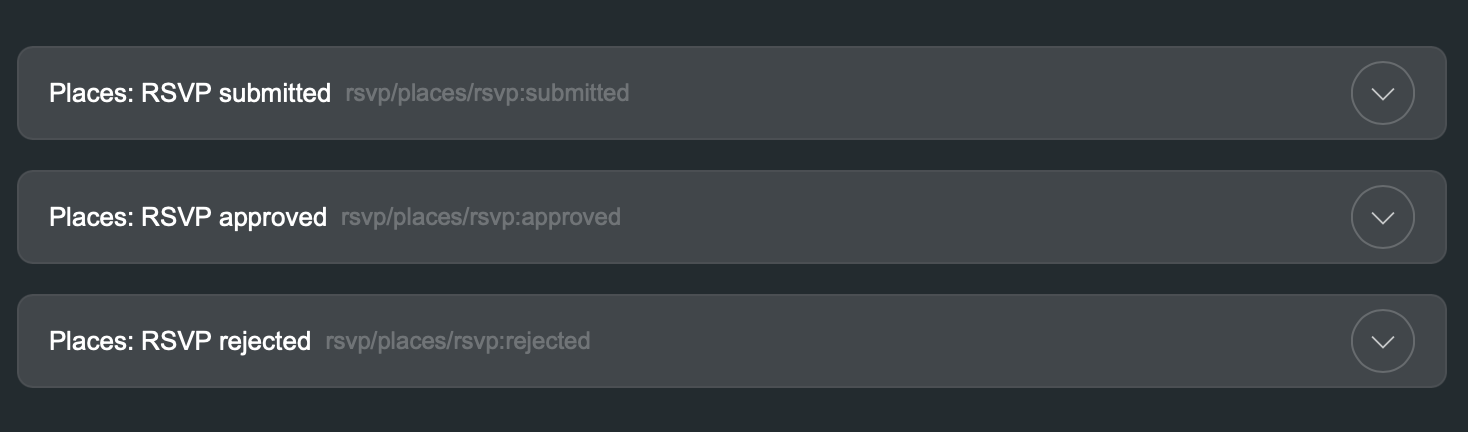
The RSVP System adds three app events that you can use for notifications:
| Event | Triggers When | Available Dynamic Tags |
|---|---|---|
| RSVP Submitted | Someone submits an RSVP | Attendee name, email, post title |
| RSVP Approved | Admin approves an RSVP | Attendee name, email, post title |
| RSVP Rejected | Admin rejects an RSVP | Attendee name, email, post title |
Configure these events in Voxel → App Events to send email notifications, in-app notifications, or SMS (with SMS Notifications function enabled).
Approval Workflow
When approval is required:
- Visitor submits RSVP
- RSVP status is set to “Pending”
- Post author/admin receives notification
- Admin approves or rejects the RSVP
- Attendee receives confirmation notification
Without approval required, RSVPs are automatically confirmed immediately.
CSV Export
Export all attendee data to a CSV file for:
- Check-in lists at the event
- Importing to email marketing tools
- Creating name badges
- Backup and records
The export includes all fields: name, email, status, custom field responses, and RSVP date.
Use Cases
Event Registration
Allow attendees to register for conferences, meetups, or parties with optional capacity limits.
Class Signups
Let students register for classes or workshops with approval from the instructor.
Restaurant Reservations
Accept table reservations with party size and special requests as custom fields.
Volunteer Signups
Collect volunteer registrations with availability and skill information.
Troubleshooting
Form Not Showing
- Check that the function is enabled
- Verify the widget is added to your template
- Check if maximum attendees has been reached
- Verify guest RSVPs are enabled if testing logged out
Submissions Not Saving
- Check browser console for JavaScript errors
- Verify all required fields are filled
- Ensure email format is valid for guest RSVPs
- Check if the user has already RSVP’d
Notifications Not Sending
- Configure app events in Voxel → App Events
- Verify email settings in WordPress
- Check spam folders for test emails