

Appearance
Advanced Phone Input
The Advanced Phone Input function enhances Voxel’s phone fields with international support. Users can select their country from a dropdown with flags and dial codes, making it easier to enter phone numbers correctly.
Overview
Phone numbers vary significantly by country – different formats, different lengths, different dial codes. This function adds a country selector to phone fields so users can easily select their country and enter just their local number. The country code is stored separately for proper E.164 formatting.
Key Features
- Country selector dropdown with flags
- Dial codes displayed (+1, +44, +81, etc.)
- Per-field default country setting
- Country restrictions per field
- Toggle for dropdown visibility
- E.164 format storage
Setup Instructions
Step 1: Enable the Function
- Navigate to Voxel Toolkit → Functions in your WordPress admin
- Find Advanced Phone Input in the list
- Toggle the switch to enable the function
Step 2: Configure Phone Fields
Configure settings for each phone field in your post types:
- Go to Voxel → Post Types
- Edit a post type with phone fields
- Click on a phone field to edit it
- Find the Advanced Phone settings section
- Configure default country and restrictions
- Save the post type
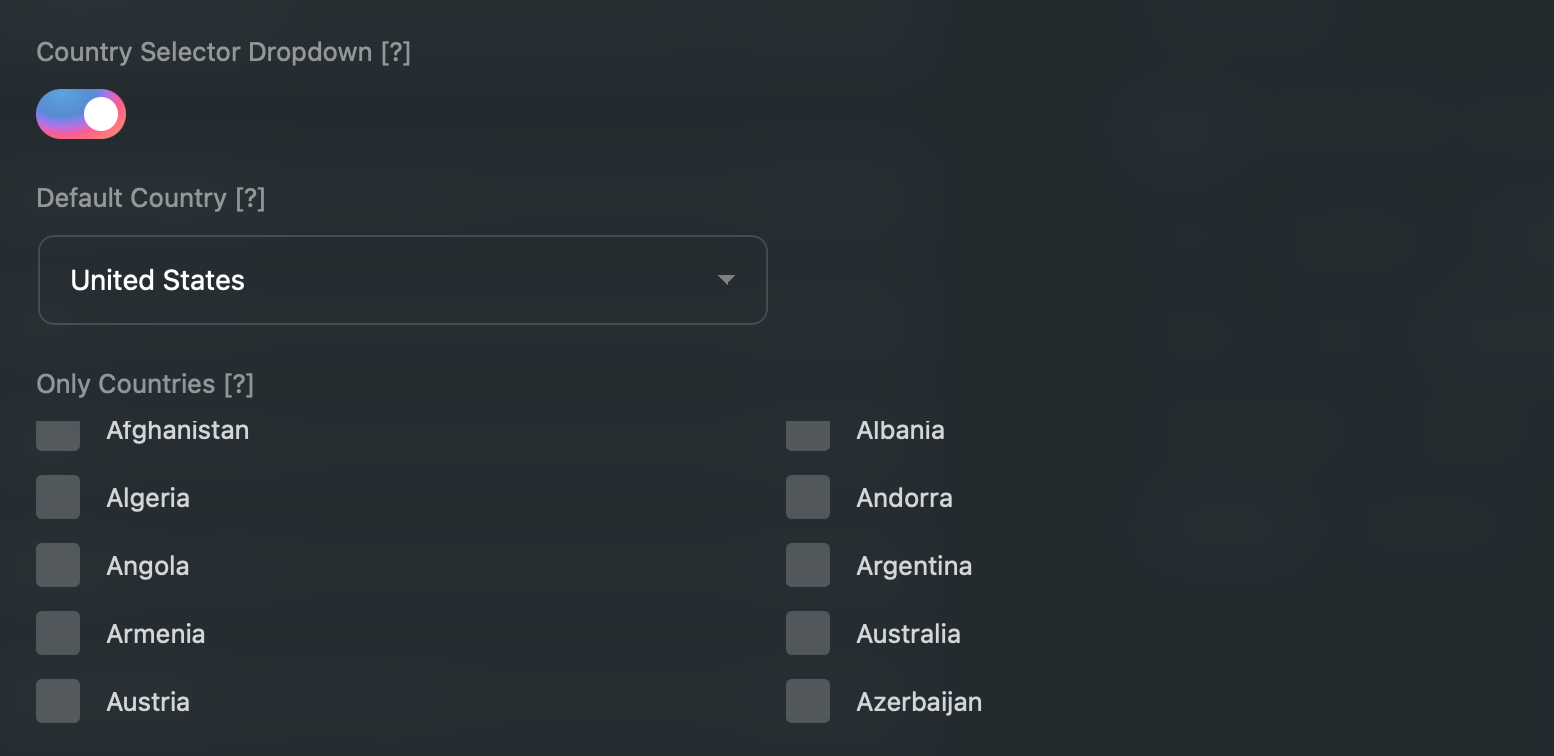
Field Settings
Each phone field can be configured with these settings:
| Setting | Description | Default |
|---|---|---|
| Show Country Selector | Enable/disable the country dropdown | Enabled |
| Default Country | Pre-selected country when field is empty | United States |
| Allowed Countries | Restrict to specific countries only | All countries |
Country Selector
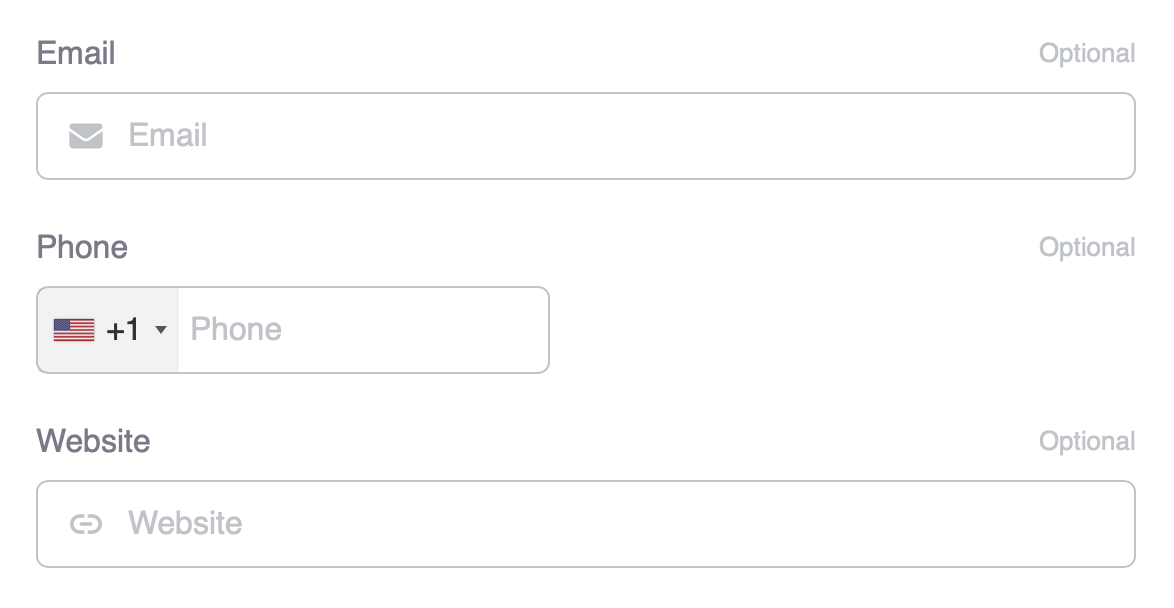
The country selector dropdown shows:
- Country flag
- Country name
- Dial code (e.g., +1, +44)
Users can:
- Search by typing country name
- Scroll through the list
- Click to select
Country Restrictions
If your site only operates in certain countries, you can restrict the country selector to show only those countries.
Example Use Cases
- US-only business – Only show United States
- European service – Show only EU countries
- Regional directory – Show neighboring countries
Data Storage
Phone numbers are stored with the country code for proper formatting:
- Country code – Stored separately (e.g., “1” for US)
- Phone number – The local number entered by user
- Full number – Combined in E.164 format (e.g., +14155551234)
E.164 Format
E.164 is the international standard for phone numbers:
- Starts with + and country code
- No spaces or special characters
- Maximum 15 digits
- Example: +14155551234
Use Cases
International Directories
Allow listings from any country to enter phone numbers correctly.
Contact Forms
Make it easy for international visitors to submit their contact info.
User Profiles
Let users enter their phone number with proper country code for SMS notifications.
Booking Systems
Collect properly formatted phone numbers for booking confirmations.
Troubleshooting
Country Selector Not Appearing
- Check that the function is enabled
- Verify “Show Country Selector” is enabled on the field
- Clear caching and refresh the page
Wrong Default Country
- Check the field’s Default Country setting
- Save the post type after making changes
Missing Countries
- Check if country restrictions are set on the field
- Clear restrictions to show all countries
Country List Appears Far From the Field
Fixed in 1.7.6.1 — update the plugin.
On screens narrower than about 500 pixels the country list is shown as a full-screen picker rather than a dropdown under the field. Before 1.7.6.1 the plugin's full-width styling interfered with that mode and pushed the list down the page. This affected phones as well as forms rendered inside a narrow preview or side panel.
Phone Number Not Saving Correctly
- Ensure the country is selected before entering number
- Enter only the local number (without country code)