

Appearance
Media Gallery Widget
The Media Gallery widget extends Voxel’s Gallery widget to support video files alongside images. Display photos and videos in a unified gallery grid with automatic video thumbnail generation and lightbox playback.
Overview
Create galleries that include both images and videos from Voxel file fields. Videos display with a thumbnail and play icon overlay, opening in a custom lightbox player when clicked. Perfect for listings that need to showcase mixed media content.
Key Features
- Mixed image and video support
- Automatic video thumbnail generation
- Customizable play icon overlay
- Video lightbox player
- Dynamic files field integration
- Grid layout with configurable columns
- Aspect ratio control
- “View all” overlay for hidden items
Setup Instructions
Step 1: Enable the Widget
- Navigate to Voxel Toolkit → Widgets in your WordPress admin
- Find Media Gallery in the list
- Toggle the switch to enable the widget
Step 2: Add to Template
- Edit your single post template in Elementor
- Search for Media Gallery (VT)
- Drag the widget to your desired location
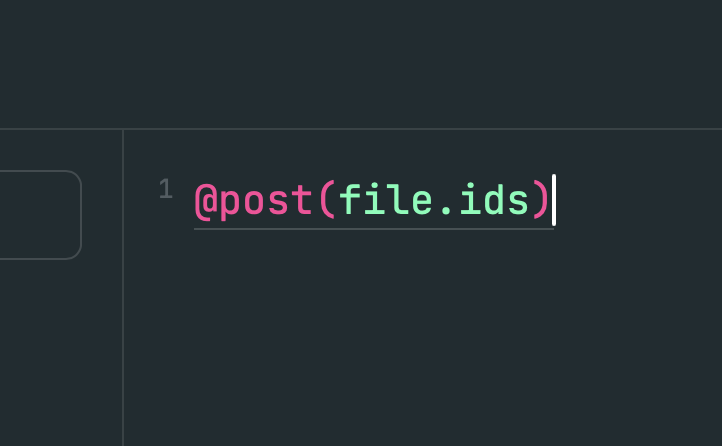
- Click the dynamic tag icon and select your files field
- Save the template
Widget Settings
Media Settings
| Setting | Description | Default |
|---|---|---|
| Files Field | Dynamic tag to select files field | Required |
| Number of Items | How many items to show | 3 |
| Image Size | WordPress image size for display | medium |
| Image Size (Lightbox) | Size for lightbox viewing | large |
Video Settings
| Setting | Description | Default |
|---|---|---|
| Show Play Icon | Display play icon on videos | Yes |
| Play Icon | Icon to use for play button | fa-play |
| Thumbnail Capture Time | Time in seconds to capture thumbnail | 1 second |
Grid Layout
| Setting | Description | Default |
|---|---|---|
| Item Gap | Space between grid items | Configurable |
| Number of Columns | Grid columns (1-6) | 3 |
| Remove Empty Items | Hide empty grid slots | No |
| Auto Fit | Auto-fill available columns | No |
| Row Height | Fixed height for rows | 250px |
| Use Aspect Ratio | Use ratio instead of fixed height | No |
| Aspect Ratio | Ratio value (e.g., 16/9) | Empty |
Styling Options
General
- Image border radius
- Overlay background color (normal and hover)
- Empty item border
View All Button
- Background color (normal and hover)
- Icon and icon color
- Icon size
- Text color and typography
Video Items
- Play icon color
- Play icon size
- Play icon background
- Play icon padding
- Play icon border radius
Video Thumbnail Generation
The widget automatically generates video thumbnails using JavaScript:
- Video is loaded in a hidden video element
- Video seeks to the configured capture time
- Frame is captured using canvas
- Thumbnail replaces the placeholder image
If a video has a _thumbnail_id meta or _video_thumbnail meta, that image is used instead.
Video Lightbox
When a video is clicked, it opens in a custom lightbox player:
- Full-screen video playback
- Standard HTML5 video controls
- Click backdrop or X to close
- Press Escape key to close
- Auto-play when opened
- Pauses and resets when closed
Use Cases
Property Listings
Combine photos and virtual tour videos in a single gallery.
Product Showcases
Display product photos alongside demo videos.
Event Recaps
Show event photos and highlight videos together.
Portfolio Pages
Mix images and video content in creative portfolios.
Troubleshooting
Video Thumbnails Not Generating
- CORS restrictions may prevent thumbnail capture
- Videos must be served from same domain or with CORS headers
- Fallback placeholder image will be used
Videos Not Playing
- Check video format is browser-compatible (MP4 recommended)
- Verify video file exists and isn’t corrupted
- Check browser console for errors
Gallery Not Showing
- Ensure files field dynamic tag is connected
- Verify the field contains valid attachment IDs
- Check Voxel Gallery widget is available
Supported Video Formats
- MP4 (video/mp4) – Recommended
- WebM (video/webm)
- Ogg (video/ogg)
- Any format with MIME type starting with “video/”
Requirements
- Voxel Theme (active)
- Voxel Toolkit plugin (enabled)
- Elementor (for widget placement)
- Voxel files field with uploaded media
- Browser with HTML5 video support